Roblox Item Finder
Find Roblox items faster
Search your local Roblox cache by keyword, price and category without hitting Roblox on every visitor request.
Finding the right Roblox item can take time when you have to browse through numerous catalog listings. The Roblox Item Finder from RobloxianVerse helps simplify item discovery by letting you search available Marketplace data using keywords, categories, and supported filters.
Whether you are looking for stylish clothing, unique hairstyles, UGC accessories, or items for your next avatar look, you can use the tool to explore matching results in one place. Compare the available item details, refine your search, and visit the original Roblox listing to check the item before making a decision. Want to identify a specific item’s numerical identifier? Read our Roblox Item ID Search Tool Guide to learn how to find and verify Roblox item IDs.
Ready to explore? Open the RobloxianVerse Item Finder, enter a keyword, select a suitable category, and start discovering Roblox items.
What Is a Roblox Item Finder?
A Roblox item finder is a search tool that helps users discover items associated with Roblox avatars and the Marketplace. Instead of relying only on broad searches, you can use relevant keywords and available filters to narrow down the options. The RobloxianVerse Item Finder is designed to make this discovery process more convenient. You can search for items using descriptive terms, explore supported categories, and set a maximum Robux budget where the relevant filter is available.
A Roblox item finder can be especially useful when you know what an item looks like but do not know its exact name. For example, searching for “black hoodie,” “cute hair,” or “cat-ear headphones” can help you explore items related to your preferred style. Keep in mind that the tool searches cached Marketplace data. Its results may not include every new listing or reflect every recent change, so verify important details on the original Roblox page.
How to Use the Roblox Item Finder
Follow these steps to make your search more focused and efficient.
1. Enter a Keyword
Open the RobloxianVerse Item Finder and type a word or short phrase describing the item you want. You can try searches such as:
- Black hoodie
- Roblox hair accessories
- White sneakers
- Cute avatar accessories
- Layered clothing
- Cat-ear headphones
Start with a simple keyword. If the results do not match your expectations, try a more specific description or an alternative term.
2. Choose a Relevant Category
Use the available category filters to narrow your search. Depending on your goal, you might look for clothing, accessories, hair, faces, bundles, or other supported item types. Choosing a relevant category can make it easier to compare similar items rather than browsing unrelated results.
3. Set Your Robux Budget
If you have a spending limit, use the maximum Robux filter where available to focus on items within your preferred budget. Before purchasing an item, check its current price and availability on the original Roblox listing. Cached results may not reflect the latest changes.
4. Compare the Results
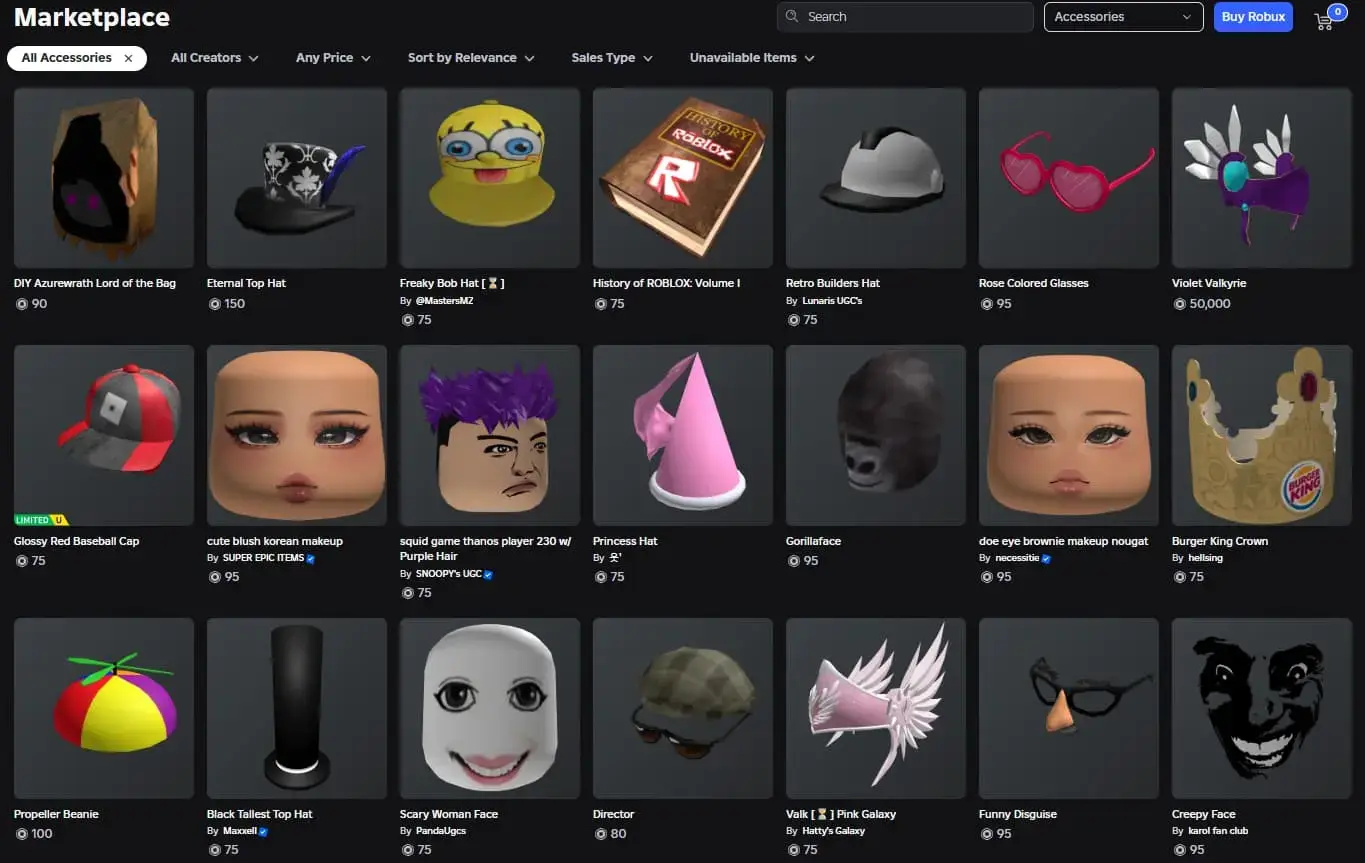
Review the available thumbnails, names, categories, and other item details. Do not select an item based on its name alone, especially when several listings have similar designs. Pay attention to the visual appearance and creator information where available. This can help you distinguish between similar accessories or clothing items.
5. Open the Original Roblox Listing
Once you find a promising result, follow its available link to the original Roblox page. Confirm that the item matches your search and check its current price, availability, and other relevant details. This final check is important because third-party discovery tools may use cached information.
Explore More with a Roblox Avatar Item Finder
A Roblox avatar item finder is useful when you want to discover items that match a particular look or theme. Instead of searching for one specific product, you can explore different types of avatar items and compare the options available.
For example, if you are building a casual avatar, you might search for hoodies, sneakers, hairstyles, and matching accessories. If you prefer a themed look, try descriptive searches such as “Y2K accessories,” “dark outfit,” or “cute avatar style.” The key is to search with a clear idea of what you want while remaining open to similar designs. Comparing several listings can help you discover items you might not have found through a single exact-name search.
Once you have discovered clothing and accessories, use the Roblox Outfit Builder to explore avatar combinations and plan a look that matches your preferred style.
Find Roblox Accessories and Clothing More Easily
A Roblox accessories finder can help you explore items that add personality to your avatar. Depending on the available listings, you might look for hats, hair accessories, face accessories, shoulder items, or other cosmetic additions.
Use these tips to improve your search:
- Describe the appearance: Include colors, shapes, or distinctive features.
- Try alternative keywords: An item may use a different name from the one you expect.
- Search by category: Narrowing the category can reduce unrelated results.
- Compare similar designs: Check thumbnails and listing details before choosing.
- Verify the listing: Use the original Roblox page for current item information.
If your first search does not return a suitable match, adjust the wording rather than assuming the item does not exist.
Item Finder Roblox Searches: Common Problems and Solutions
Even a well-planned search may not return the item you want. Here are some common issues and practical ways to address them.
| Problem | What you can try |
|---|---|
| No matching results | Use a shorter keyword or try an alternative name. |
| Too many unrelated items | Add a descriptive word or choose a more relevant category. |
| The item looks different | Compare the result with the original Roblox listing. |
| The price appears outdated | Check the current price directly on Roblox. |
| A recently released item is missing | The cached data may not include the latest listing. |
| You cannot confirm the item | Open the original listing and review its details. |
If you still cannot find a Roblox item, try searching with a different description and check the official Roblox Marketplace directly. A third-party tool can help with discovery, but it cannot guarantee that every item is included in its data. Still having trouble identifying an item? Follow our Roblox item ID guide for additional tips on checking item details and verifying identifiers.
Roblox Item Searcher vs. Manual Catalog Browsing
A Roblox item searcher provides a more focused way to explore items using search terms and available filters. Manual catalog browsing can also be useful, especially when you want to explore categories or discover items without a specific search in mind.
The right approach depends on what you need:
- Use the RobloxianVerse Item Finder when you want to narrow down options using keywords and supported filters.
- Browse the official Roblox Marketplace when you want to confirm current item information or explore its available listings directly.
- Compare original listings before purchasing or relying on an item’s details.
The purpose of the tool is to make item discovery more convenient, not to replace Roblox’s official listing information.
Why Use RobloxianVerse to Find Roblox Items?
RobloxianVerse brings item discovery tools and guides together to help users explore Roblox-related content. The Item Finder is useful for users who want to:
- Search for items using descriptive keywords.
- Explore supported categories and narrow down results.
- Discover clothing and accessories for avatar customization.
- Compare available listings before opening the original Roblox page.
- Find inspiration for different avatar styles.
The tool’s cached data also has an important limitation: search results may not reflect every recent Marketplace update. Checking the original Roblox listing remains the best next step when price, availability, or item details matter. RobloxianVerse is an independent discovery website and is not an official Roblox service.
Start Finding Roblox Items
The RobloxianVerse Roblox items finder helps you explore clothing, accessories, and other avatar items through keyword searches and available filters. Start with a descriptive search, compare the results, and verify the details on the original Roblox listing.
Looking for more ways to personalize your character? Explore our Roblox avatar customization tips for ideas on clothing, accessories, and avatar styling.
Ready to find Roblox items for your next avatar look? Open the RobloxianVerse Item Finder and start exploring.
Roblox Item Finder FAQ
How do I find Roblox item?
Open the RobloxianVerse Item Finder, enter a keyword describing the item, and use the available category or budget filters to narrow the results. Compare the listings and verify your preferred item on Roblox.
Can I use the Roblox Item Finder to find accessories?
Yes. You can explore accessories by using relevant keywords and the supported category filters. Check the resulting item details to confirm that an accessory matches your intended style.
Why can't I find a specific Roblox item?
The item may have a different name than expected, your search may be too narrow, or the cached data may not include the latest listing. Try alternative keywords and check the official Roblox Marketplace.
Is RobloxianVerse an official Roblox website?
No. RobloxianVerse is an independent website that provides Roblox discovery tools and guides. Use official Roblox pages to confirm important item information and follow Roblox's account-security guidance.