For a game such as Robloxian Verse, the process is not only about making an attractive model. You also need to consider polygon count, texture size, lighting, collision, animation, and platform performance. A good game asset should look detailed while remaining efficient enough to load and render smoothly.
What Are 3D Models and Why Are They Important in Game Development?
A 3D model is a digital object made from vertices, edges, and polygons. It can represent almost anything in a virtual world, including characters, buildings, weapons, vehicles, trees, furniture, and game props.
Textures add color, surface detail, and material information to the model. Together, models and textures help turn an empty game scene into an environment that feels complete and believable.
When creating custom3D models and textures, you should focus on:
- Visual style and consistency
- Polygon count and file size
- Texture resolution
- UV layout
- Lighting and material response
- Collision and gameplay use
- Target platform performance
Popular Types of 3D Models Used in Modern Games
Game developers use different 3D models depending on the gameplay and visual style.
| Model Type | Common Use |
|---|---|
| Character models | Players, NPCs, creatures |
| Environment models | Buildings, roads, landscapes |
| Props | Furniture, tools, decorations |
| Vehicles | Cars, bikes, aircraft |
| Weapons | Guns, swords, futuristic equipment |
| Modular assets | Walls, floors, doors, platforms |
For Robloxian Verse, modular assets can be especially useful because you can reuse compatible pieces across different game environments.
Which 3D Modeling Software Is Best for Beginners and Pros?
Your software choice depends on the asset you want to build and your experience level.
Blender is a popular starting point because it supports modeling, sculpting, UV mapping, texturing, animation, and rendering in one application. Professional artists may also use tools such as Autodesk Maya, 3ds Max, ZBrush, Substance 3D Painter, or specialized photogrammetry software.
Rather than choosing software based only on popularity, choose tools that match your workflow and target game engine.
How to Create 3D Models for Games: A Step-by-Step Guide
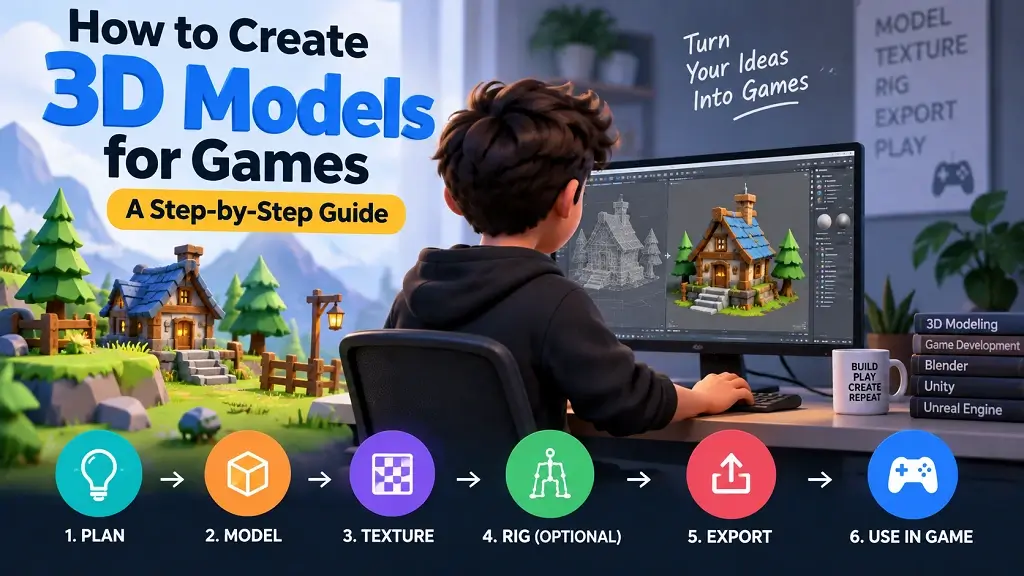
Creating a game-ready asset is usually an iterative process. You may return to earlier steps several times as you discover problems with proportions, topology, textures, or performance.
Step 1: Gather References and Create Initial Sketches
Start with reference images before opening your modeling software. Study the object’s shape, proportions, materials, colors, and small details. For original assets, make a simple sketch or concept sheet. This gives you a visual target and reduces unnecessary changes later.
Step 2: Build the High-Poly 3D Model
Create the basic shape first. Focus on proportions instead of tiny details. A high-poly version can contain additional geometry that helps you define realistic edges, curves, surface shapes, and other visual features.
Step 3: Sculpt Fine Details and Improve the Model
Add smaller details such as scratches, seams, folds, dents, grooves, or surface patterns.
For organic characters and creatures, digital sculpting can help create natural forms. Keep checking the model from different angles because details that look good from one view may look incorrect from another.
Step 4: Reduce the Polygon Count for Better Performance
A detailed model is not automatically a good game asset. Too much geometry can increase memory use and rendering costs. Create a lower-poly version where appropriate. Preserve important silhouettes and visible details while removing geometry that players are unlikely to notice.
Step 5: Flatten Your 3D Model Into a 2D Image (UV Mapping)
UV mapping unwraps the surface of your 3D model onto a 2D texture space.
A clean UV layout helps you place textures accurately and reduces stretching. You can then create or paint texture maps for color, roughness, metallic properties, normal details, and other material information.
Popular 3D Modeling Methods for Game Assets
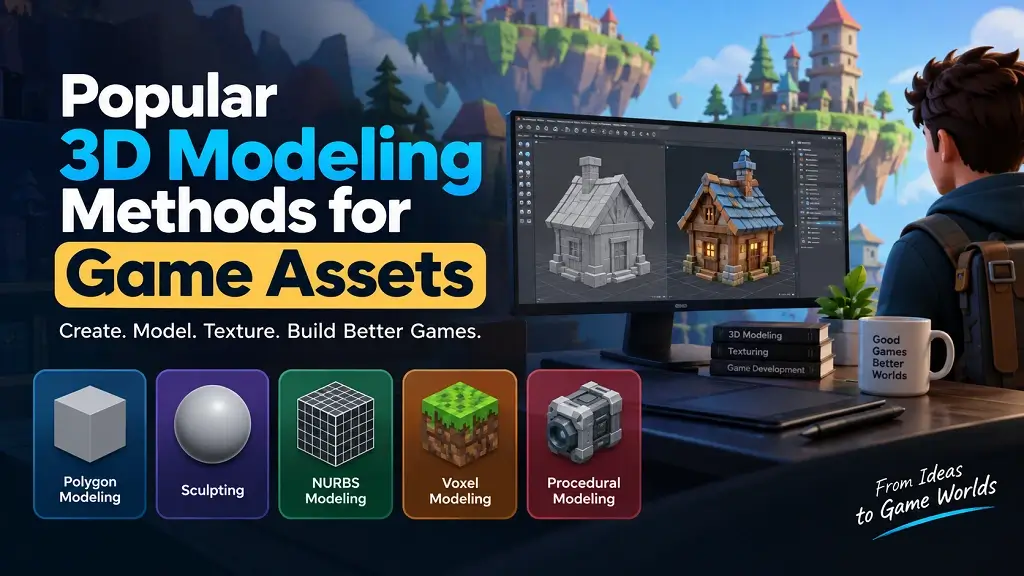
- 1. Box Modeling: You begin with simple shapes such as cubes and gradually add, move, and refine geometry. It works well for buildings, furniture, vehicles, and many hard-surface props.
- 2. Polygon Modeling: You directly create and manipulate polygon faces, edges, and vertices. It provides precise control over topology and is widely used for game assets.
- 3. Spline Modeling: Splines use curves to create shapes and surfaces. This method can be useful for roads, pipes, cables, and other curved objects.
- 4. NURBS Modeling: NURBS can create smooth mathematical surfaces and are useful for certain industrial or highly curved designs.
- 5. Photogrammetry: Photogrammetry creates 3D assets from multiple photographs. It can produce highly realistic environmental assets when you have suitable photographs and controlled capture conditions.
- Digital Assembly: You combine existing components or modular pieces to create a larger asset or environment. This can speed up production while maintaining visual consistency.
How Do You Adapt 3D Models for Different Gaming Platforms?
The same asset may need different levels of optimization depending on where players will use it.
PC and Console Gaming
PCs and consoles can generally support more detailed assets than lower-powered devices, but optimization still matters. Large worlds, high-resolution textures, complex materials, and many visible objects can increase rendering demands.
Mobile Gaming
Mobile games need careful control of geometry, texture resolution, memory usage, and draw calls. Simplified models and efficient textures can help improve performance.
Augmented Reality (AR)
AR applications must balance visual quality with real-time performance. Keep models lightweight and make sure their scale and materials work well with the real-world camera view.
Browser-Based Gaming
Browser games can be sensitive to download size and device hardware. Compress assets where possible and avoid unnecessary geometry or oversized textures.
Essential 3D Modeling Skills Every Beginner Game Artist Should Learn
If you are learning Creating Custom 3D Models and Textures, build your skills in this order:
- Basic 3D modeling
- Polygon and topology control
- Sculpting
- UV mapping
- Texture creation
- Material setup
- Lighting basics
- Asset optimization
- File export and import
- Basic game-engine workflows
You do not need to master everything at once. Start with simple props, then move toward characters and complete environments.
10 Tips for Creating 3D Assets for Virtual Reality (VR)
VR requires careful optimization because the player experiences the environment from a close and interactive viewpoint.
- Keep polygon counts under control.
- Use clean and efficient topology.
- Avoid unnecessary texture resolution.
- Create sensible UV layouts.
- Use normal maps for fine surface details when appropriate.
- Test assets at their actual viewing distance.
- Optimize materials and shaders.
- Check collision geometry carefully.
- Test performance on the target VR hardware.
- Reuse modular assets when possible.
A common professional workflow is to create the detailed version first, then produce an optimized game-ready asset. This lets you preserve important visual information without forcing the game to render unnecessary geometry.
How Do You Play and Explore Custom 3D Game Environments?
Once custom models and textures are integrated into a playable game, you interact with them through the game’s controls and mechanics.
In a Roblox-style environment such as Robloxian Verse, you may explore maps, interact with objects, navigate buildings, collect items, complete objectives, or use custom environments created by developers.
The exact controls depend on the individual game. Before publishing an environment, test it from the player’s perspective. Check whether objects are easy to see, pathways are clear, collisions behave correctly, and important interactive elements stand out.
What Is the Best Workflow for Creating Custom 3D Models and Textures?
A practical workflow is:
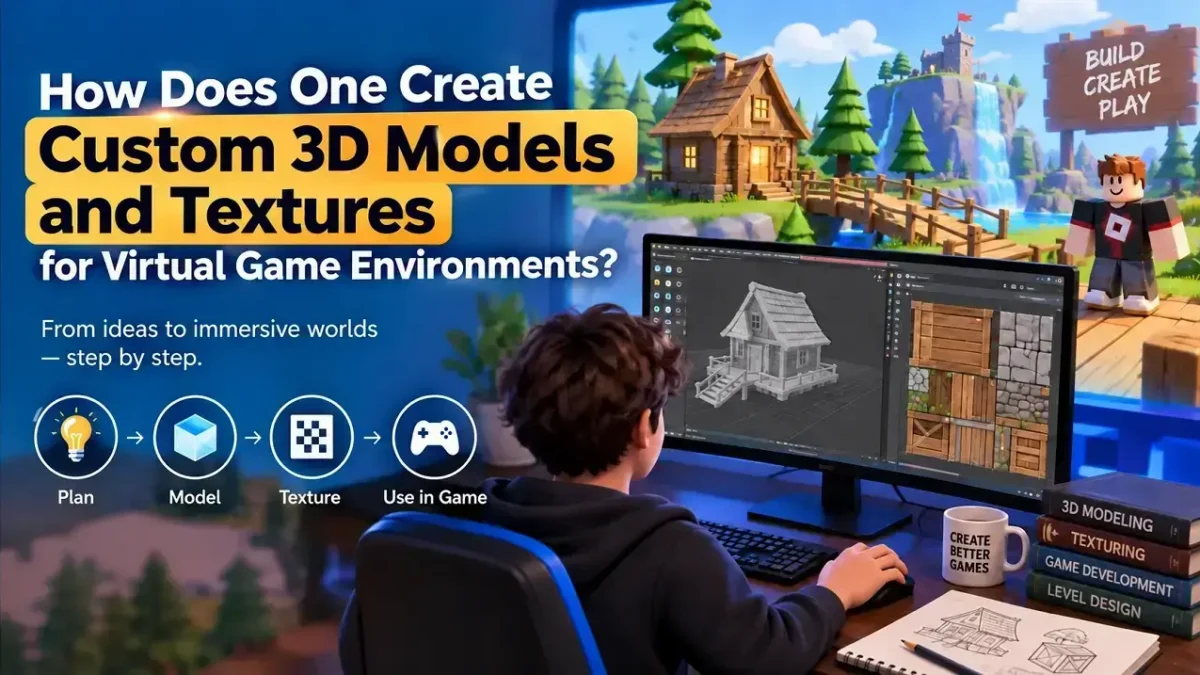
Reference → Blockout → High-poly model → Sculpting → Low-poly optimization → UV mapping → Texturing → Materials → Export → Engine testing → Optimization
This workflow helps you catch problems before the asset becomes deeply integrated into a game level. For Robloxian Verse, you can use this approach to understand how game environments are built and how visual assets contribute to exploration, gameplay, and immersion.
Final Thoughts
Creating Custom 3D Models and Textures is a mix of artistic design and technical optimization. You start with references, build the model, add details, create efficient geometry, unwrap the UVs, apply textures, and test the final asset inside the game.
Whether you are building a small prop or an entire virtual world for Robloxian Verse, the goal is the same: create assets that look great, work correctly, and perform well for players.