If you regularly use Roblox, checking your account age can be useful for tracking how long you’ve been playing, verifying an old account, or simply satisfying your curiosity. In this guide, you’ll learn how to check your Roblox account creation date, use a Roblox age checker, find your Roblox user ID, and understand the difference between account age and age verification. You’ll also learn how these tools can help you quickly find accurate account information.
How to Check Your Account Age on Roblox (Step-by-Step Guide)
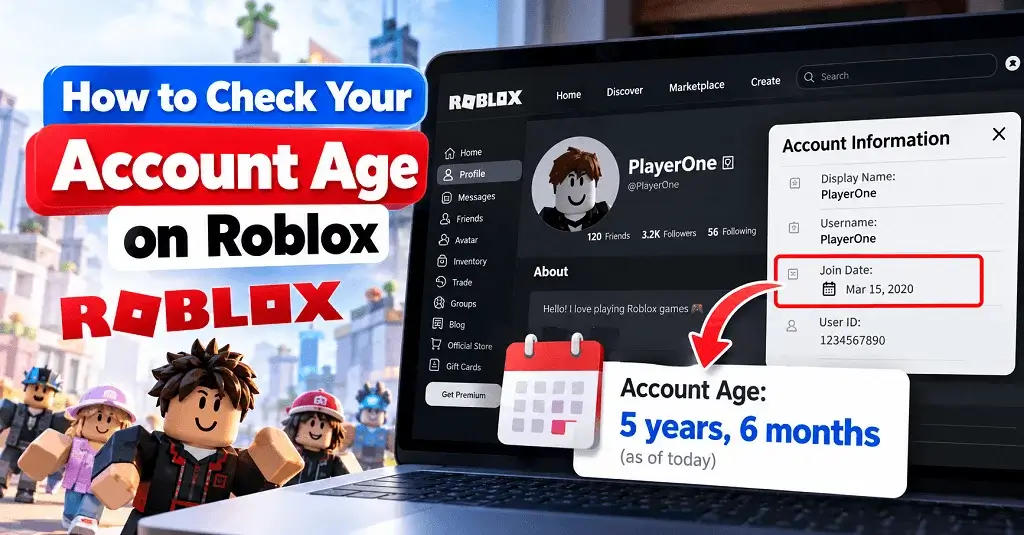
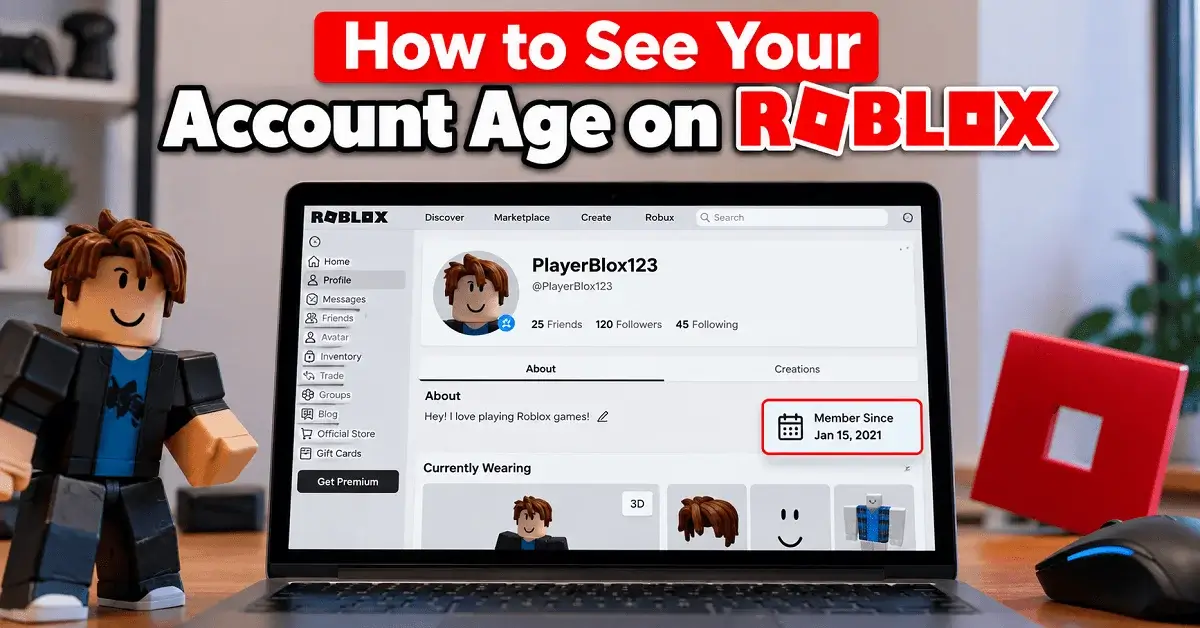
The easiest way to check your Roblox account age is to find the account’s original creation date.
Follow these steps:
- Log in to your Roblox account.
- Open your Roblox profile.
- Look through your profile information for details associated with your account.
- If the exact creation date isn’t displayed, use a reputable Roblox age checker tool that can retrieve publicly available account information.
- Enter your Roblox username or user ID when required.
- Check the displayed account creation date.
- Calculate the difference between that date and today’s date to determine your account age.
Your account age refers to the amount of time that has passed since your Roblox account was created. It is different from the age you entered or verified for your personal profile.
Quick Roblox Account Age Reference
| Information | What It Means |
|---|---|
| Account Creation Date | The date your Roblox account was originally created |
| Account Age | How long the account has existed |
| Roblox Username | Your account’s current username |
| Roblox User ID | A unique numerical identifier for the account |
| Age Verification | Roblox’s process for verifying a user’s age |
| Roblox Age Checker | A tool that can help identify account creation information |
How to Find the Exact Date and Time a Roblox Account Was Created
If you want more than just the number of years your account has existed, you may want to find the exact Roblox account creation date and time.
The creation date is generally more useful than simply saying an account is “5 years old.” For example, knowing the exact date can help you determine whether your account was created before a particular Roblox event, game release, or personal milestone.
Depending on the tool or account information available, you may see details such as:
- Account creation date
- Account creation timestamp
- Roblox username
- Roblox display name
- Roblox user ID
- Profile status
- Public account information
Keep in mind that third-party tools can change or become unavailable. For privacy and security, never provide your Roblox password, authentication code, cookies, or other private credentials to an account-checking website.
What Is a Roblox Age Checker Tool?
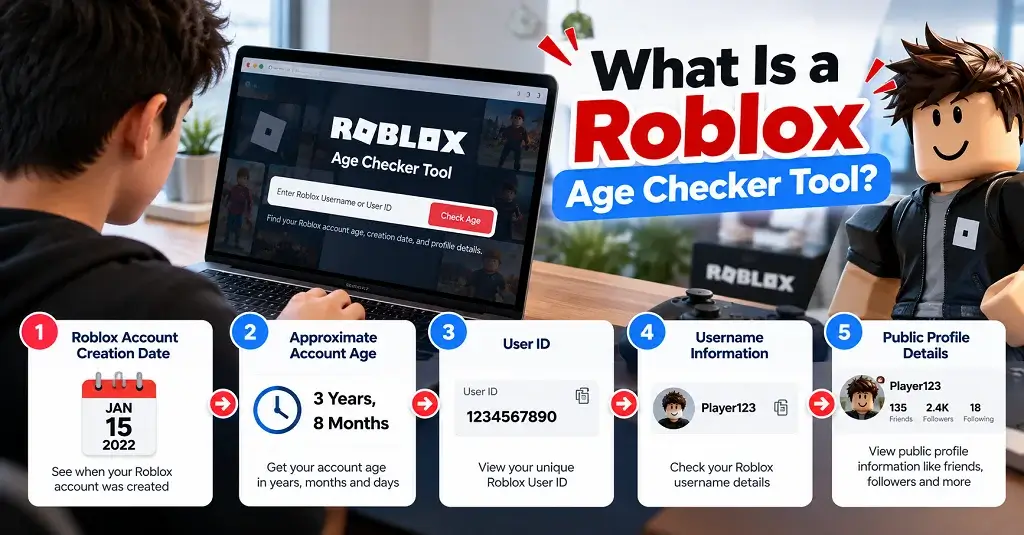
A Roblox age checker tool is generally a third-party utility designed to help you find information about when a Roblox account was created. Instead of manually researching account information, these tools can make the process quicker by allowing you to enter a Roblox username or user ID.
A useful checker may provide:
- Roblox account creation date
- Approximate account age
- User ID
- Username information
- Public profile details
However, you should treat third-party Roblox tools carefully. A legitimate checker should not ask for your Roblox password or require you to log in through an unfamiliar website.
How to Use a Roblox Age Checker
Using a Roblox age checker is usually straightforward:
- Find a reputable Roblox account-age tool.
- Enter the Roblox username or required user ID.
- Start the lookup.
- Review the account creation information.
- Compare the creation date with today’s date.
Robloxian can complement your Roblox experience with tools such as its Outfit Builder, Item Finder giving you additional ways to explore Roblox-related content while researching your account and discovering games and items.
Roblox ID Checker: How to Find Any Account’s User ID
A Roblox User ID is a unique numerical identifier associated with a Roblox account. Unlike a username, the User ID remains tied to the account even when the username changes.
Finding the User ID can be helpful when you’re using a Roblox age checker or another account-information tool. A typical Roblox profile URL contains the user’s numerical identifier in the profile address. You can also use Roblox-related lookup tools that are designed to retrieve public account information.
Example: Checking the Very First Roblox Account (ID 1)
Roblox User ID 1 is associated with the earliest account in Roblox’s user ID sequence. Examples like this demonstrate why User IDs can be useful for understanding the history and ordering of Roblox accounts.
However, User ID and account age are not exactly the same thing. A lower ID generally indicates an earlier position in the platform’s account numbering, but you should use the actual account creation information when you need to determine a specific account’s age.
Why Does Your Roblox Account Age Matter?
For many players, account age is simply a fun piece of Roblox history. If you’ve been playing for years, discovering your original creation date can show just how long you’ve been part of the platform.
Your Roblox account age can also be useful when:
- Tracking your personal Roblox history
- Finding the date you originally joined Roblox
- Comparing account milestones
- Researching an older Roblox account
- Understanding account information
- Checking historical Roblox profiles
- Celebrating an account anniversary
Account age should not, by itself, be treated as proof that an account is trustworthy. Older accounts can still be compromised, abandoned, or misused, so always consider security and other relevant information separately.
Account Age vs. Age Verification: What’s the Difference?
These two terms sound similar but describe completely different things.
Account age tells you how long your Roblox account has existed.
Age verification relates to Roblox’s process for determining or confirming a user’s age or age group for features that have age-related requirements.
For example, an account created ten years ago does not automatically mean that the current user is ten years older than they were when the account was created.
Think of it this way:
| Term | Meaning |
|---|---|
| Account Age | How long your Roblox account has existed |
| Account Creation Date | When the Roblox account was created |
| User ID | The numerical identifier assigned to an account |
| Age Verification | A process used to verify eligibility for certain age-related features |
Final Thoughts
Learning how to see your account age on Roblox is easier once you understand the difference between your account creation date, account age, and User ID. Finding the original creation date gives you the most reliable basis for calculating how long you’ve been part of Roblox.
Whether you’re checking an old account, researching Roblox history, or simply curious about your first day on the platform, a reputable Roblox age checker can save time. While you’re exploring Roblox, RobloxianVerse also gives you practical tools Game Finder to discover more from the Roblox ecosystem. Most importantly, protect your account while using third-party tools. Your Roblox password and security credentials should remain private, regardless of how useful an account checker may appear.